If you're figuring out how to build an app with no coding experience, first test whether people want it. Then compare no-code, freelancer, agency, and co-founder paths by their real 2026 costs and timelines.
If you're deciding how to build an app with no coding experience, start by proving people want it; then use a no-code tool for a simple first version or hire a developer when you need custom features. A basic no-code prototype can take 1–8 weeks and cost under $10,000, while a professionally built app commonly costs $40,000–$200,000+ and takes 2–6 months.
Quick answer: You don't need to learn programming to get an app started. Validate the idea with potential users, write down the one main problem the first version will solve, then choose no-code for a simple test or hire a freelancer or agency for features that need custom development. Choose a technical co-founder when building software is a long-term, central part of the business.
How do you build an app with no coding experience?
Treat the first version as a way to test a business idea, not as a smaller version of your dream product. Before choosing a tool or hiring anyone, find out whether people have the problem and would take action to solve it. A few honest conversations can save months of building something nobody uses.
Start with these steps:
Describe the user and the specific problem your app solves in one sentence.
Talk to 10–15 potential users. Ask how they handle the problem today, what it costs them, and what they have already tried.
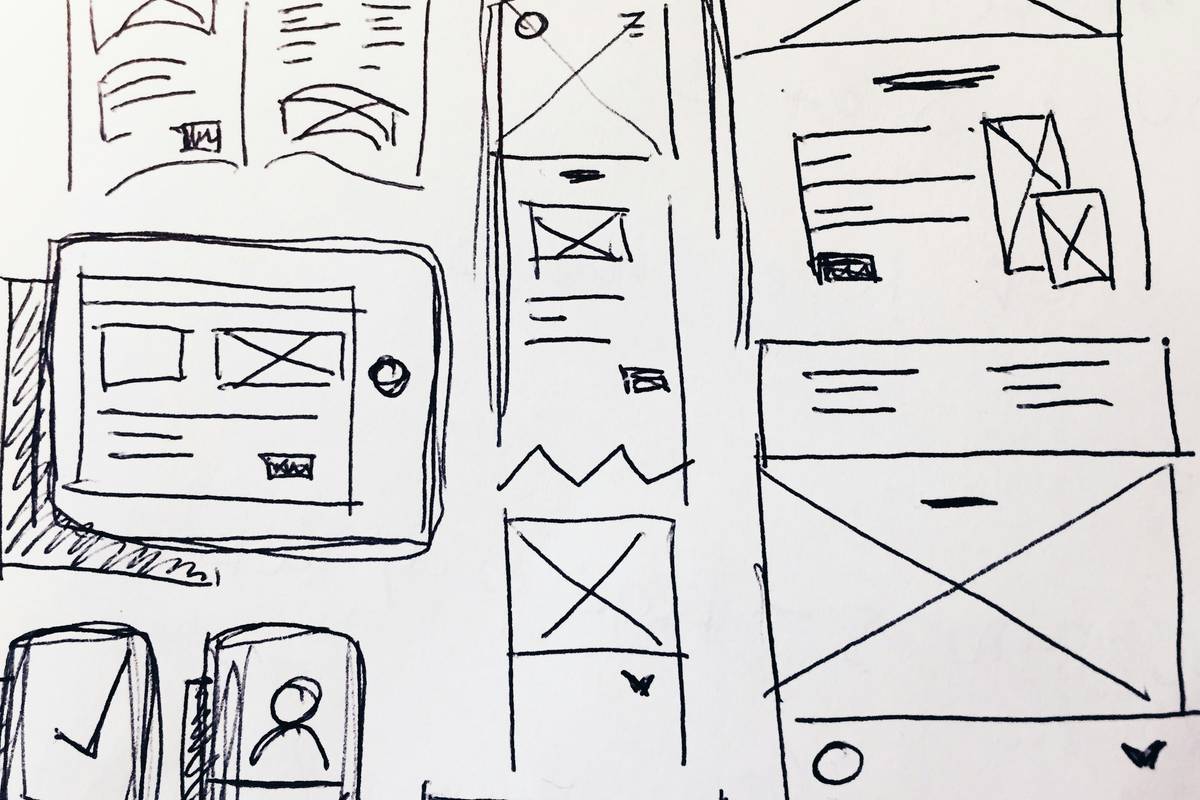
Sketch the main task on paper, such as booking an appointment or placing an order. You don't need a polished design.
Test that flow with a clickable mockup or a manual service before paying to build the app.
Choose the simplest way to deliver the useful part, then measure whether users return, pay, or recommend it.
A prototype is a rough model for testing an idea. It might be a Figma mockup or a Bubble app with a few screens. An MVP, or minimum viable product, is the smallest working product that can deliver value and teach you something from real use. Neither needs every feature you eventually want.
Which path should you choose: no-code, freelancer, agency, or co-founder?
No-code tools like Bubble, Webflow, and Glide let you assemble an app using visual controls instead of writing most of the code. They're useful for testing a straightforward workflow, internal tool, directory, or early marketplace. A freelancer can build custom features without the cost of a full team. An agency brings a senior team for product planning, design, development, and launch. A technical co-founder is a business partner who takes responsibility for the product and usually receives equity.
These are typical US market ranges for an initial product in 2026, not quotes. The scope, integrations, security needs, and app stores you support all affect the final cost.
Typical cost and timeline by build path
Path
Typical initial cost
Typical timeline
Best for
DIY no-code
$100–$10,000
1–8 weeks
Simple idea tests
No-code specialist
$5,000–$30,000
2–8 weeks
A faster working prototype
Freelancer
$15,000–$80,000
6–16 weeks
Defined custom features
Development agency
$40,000–$200,000+
2–6 months
A product needing a full team
Technical co-founder
$0–$50,000 cash to start
3–9 months
A software-led company
A co-founder may take equity, so low initial cash doesn't mean the work is free. Agree on responsibilities, ownership, decision-making, and what happens if one person leaves before you build together. If you're weighing a freelancer against an agency, use this app developer hiring guide to compare questions and tradeoffs.
Choose no-code if you can describe the workflow clearly and the tool supports the features you need. Hire a developer if the app depends on unusual calculations, complex integrations, sensitive data, or a specific user experience that templates can't handle. If you're unsure whether your idea needs a custom build, the build cost calculator can help you prepare an initial budget.
What should your MVP include, and how long will it take?
Your MVP should let one clear group of users complete one valuable task. For an appointment app, that might mean viewing availability, booking, and getting a confirmation. For a paid learning app, it might mean signing up, paying, and accessing the first course. Add only what users need to complete that main task and what you need to learn whether the idea works.
Leave out features that don't test the main idea: multiple membership tiers, a complex recommendation system, elaborate animations, and a large admin dashboard are common examples. You can add them after users show you they're needed. A custom mobile app development team can help map the essential user flow before you invest in a full build.
A simple no-code test can be ready in 1–8 weeks. A focused custom app often takes 8–16 weeks; a more involved product can take 4–6 months or longer. That time includes agreeing on what to build, designing the screens, building and testing them, and preparing for launch. Plan for changes after users try the product, too.
You usually don't need to launch on iOS and Android at the same time. A mobile-friendly website can test demand without an app store release. If you need phone features or App Store discovery, start with the platform your customers use most. Building for both can increase design, testing, and support work; some teams use a shared codebase to reduce duplicated effort.
Build the smallest product that tests your biggest business assumption—not the biggest product you can afford.
How will your app make money and find its first users?
Pick a revenue model before development because it affects what the app must do. Common options include a one-time purchase, a monthly subscription, a commission on transactions, or a free app that brings customers to your existing business. For example, a membership app needs payment and account management; a booking app may earn money by bringing more appointments to a clinic or service business.
You don't need a big marketing campaign to learn whether your first users care. Start with a small group you can reach directly: existing customers, an email list, a local business community, or people you interviewed during validation. Ask them to try the main task, watch where they get stuck, and follow up about whether they'd use it again or pay for it.
For an App Store or Google Play launch, prepare accurate screenshots, a clear description, support contact details, and a privacy policy. Apple's App Store review and Google Play's review process can reject apps that have broken flows or missing information, so test the full signup, payment, and main task before submitting. Keep a way to collect feedback after launch; the first release is a learning milestone, not the finish line.
When should you move beyond no-code or rebuild?
Don't rebuild just because your no-code app feels less polished than a large competitor's product. Consider custom software when a real limitation is slowing the business down: the tool can't support a proven feature, performance fails as usage grows, changes take too long, or the platform makes it hard to control important data.
Before replacing it, list the actual problems, how often they happen, and what they cost in time or lost sales. Some businesses can keep no-code for the customer-facing product and build a custom component only where it's needed. Others have reached the point where a planned rebuild is safer than adding more workarounds.
If you already have users, preserve the parts that work. Review usage, collect customer feedback, and decide which features must carry over. A thoughtful rebuild can happen in stages; switching everything at once may interrupt the service people rely on.
Frequently asked questions
Can I build an app without knowing how to code?
Yes. Tools like Bubble, Glide, and Webflow let you create some apps visually, and you can hire a freelancer or agency to build the parts that need custom code. You still need to make product decisions, test the idea, and understand what users need. No-code removes much of the programming, not the work of running a product.
How much does it cost to build an app with no coding experience?
A DIY no-code test may cost $100–$10,000 in its first year, including tools and basic setup. A specialist may charge $5,000–$30,000, while a custom app from a freelancer or agency commonly starts around $15,000 and can exceed $200,000. The right range depends on features, platforms, integrations, and testing.
Should I build an iPhone app, an Android app, or both?
Start with the platform your likely customers use, unless the app must serve both groups from day one. You can also test demand with a mobile-friendly website first. Supporting iOS and Android adds design and testing work, though a shared codebase can reduce duplicated development. Let customer demand and the app's required phone features guide the choice.
Can a no-code app make money?
Yes. A no-code app can charge subscriptions, sell access, collect booking fees, or help an existing business generate sales. What matters is whether customers value the service and whether the tool can handle payments and the workflow reliably. Test willingness to pay early rather than assuming downloads alone will make the business profitable.
What to do next
Write down the customer, the problem, the first task your app will make easier, and how you'll know if users value it. Share that outline with a few potential users before you commit to a platform or a build.
If you've validated the idea and want help choosing a practical scope, request a free project estimate. A senior team can help you compare a no-code test with a custom build and plan the next step around your goals.